
The QoL and UI mods that remove the most clicks in Probably Stolen, with hotkeys, conflicts and a clean install order for the 1.0.0.6 mod system.
Probably Stolen QoL Mods: UI and Quality-of-Life
The four QoL mods that change the most clicks are Smart Inventory Arrange, Client Demand Highlight, Shutter Events and Item Details. Add Reputation Pop and Bargain Panel On The Left for trading, and Appraisal Slip to Trash if the slips are piling up. Install one at a time, enable it in the Mods panel, and restart.
QoL mods are not cosmetics. In a shop sim, the interface is the game: every extra click is a customer you did not serve, and every hidden stat is a bad price. The best QoL mods give you information at the moment you need it.
This page is about the interface layer. The best mods guide ranks the overall list, and the economy mods guide covers mods that change money.
The core four
Smart Inventory Arrange (3829206666)
75,087 subscriptions.
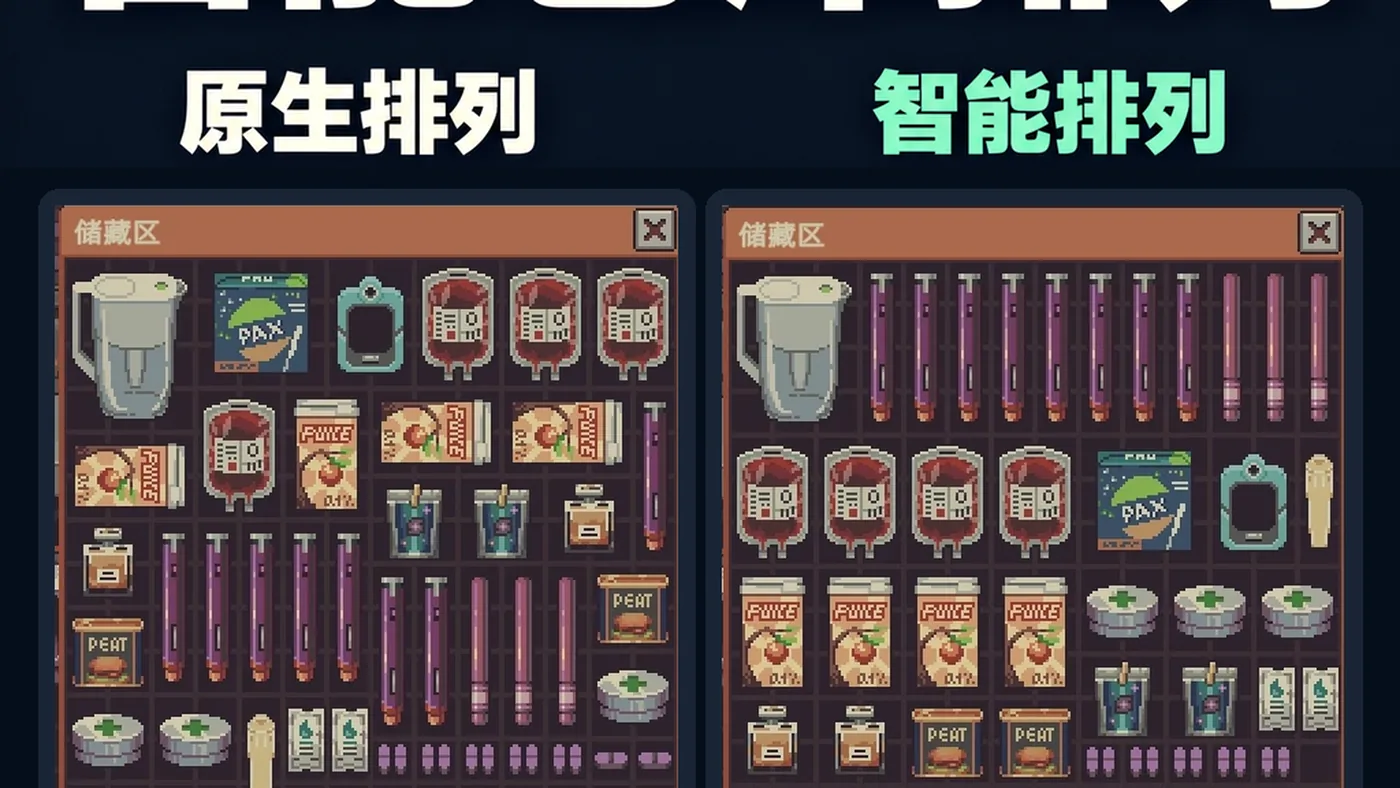
The vanilla inventory sorts upward and puts large items first. Smart Inventory Arrange puts identical items in rows, which makes a full stock easy to scan. Right-click an empty slot and choose Smart Arrange; press F6 to open the settings and bind a hotkey.
Why it matters: a tidy inventory is faster to buy from, faster to price and faster to notice when a stack is running low. It is the highest-adoption QoL mod for a reason.
Client Demand Highlight (3828938065)
104,300 subscriptions.
Outlines what the current customer wants to buy:
- Green — normal goods.
- Amber — stolen goods.
- Red — contraband.
During a Security inspection it only marks stolen and contraband. Hotkey F5. The settings let you choose whether to highlight contraband the customer is selling.
Why it matters: it turns a guessing game into a visual check, and it makes inspections less of a panic.
Shutter Events (3829019153)
84,894 subscriptions.
Before you open the shop, a sign on the shutter lists today's events. Each event shows its name, price effect (for example +25% weapons) and the remaining duration. Red means a price increase, green a decrease. The sign rises with the shutter when you open.
Why it matters: you can price stock before the first customer instead of discovering the event mid-trade.
Item Details (3828868413)
102,111 subscriptions.
The tooltip shows authenticity, true value and hidden information without opening a separate window. It flags wanted and augmented customers when they arrive. It supports all 11 game languages and uses the native mod system.
Why it matters: authenticity is the core appraisal decision. Seeing it in the tooltip removes a window and a mistake.
Item Details vs Appraisal Assistant: both reveal authenticity. Item Details is passive (tooltip); Appraisal Assistant is active (magnifier) and adds a wanted/aug warning. Pick one. Running both is clutter.
Trading QoL
Reputation Pop (3829053332)
65,124 subscriptions.
After every buy or sell, a faction-colored number pops under the customer window: lower grey, upper pink, Security red, Revolution green, Black Market black. Negative reputation sinks downward. The number is the actual change, including difficulty and faction multipliers.
Why it matters: reputation is invisible in the vanilla trade flow. This makes the consequence immediate.
Bargain Panel On The Left (3829267478)
42,823 subscriptions.
Moves the haggle panel to the left side of the screen. The 1.1 update rewrote the close-button logic and fixed click-through and layering issues.
Why it matters: the customer, the item and the price are in one view. If you haggle often, it is a comfort mod, not a power mod.
Purchase Stay Counter (3829360413)
28,287 subscriptions.
Adds a counter for how long a customer stays. Useful for judging whether a browse is about to become a sale.
Announce the Transaction (3831162516)
4,234 subscriptions.
Plays an "Alipay received" voice line when money arrives, with volume, speed and gap settings and an F9 test hotkey. It is a joke mod, but the audio cue is genuinely useful when you are in the back room.
Appraisal QoL
Appraisal Assistant (3828921912)
116,080 subscriptions.
Use the magnifier on an item to see authenticity and true value. It breaks down base value, modifiers, combination bonuses, fixed-price reasons and the minimum price. It also warns when an augmented or wanted customer is at the counter. Supports the game's eight selectable languages.
Appraisal Slip to Trash (3829353625)
25,420 subscriptions.
Appraisal slips accumulate. This mod sends them to the trash automatically, or with a hotkey depending on settings. It does not change appraisal values.
Auto Appraiser (3828874568)
9,003 subscriptions.
A Chinese-first auto-appraisal tool. Check the language support before installing; the native appraisal flow may be enough.
Inventory and store QoL
- AutoStorage (3829304074) — automatic sorting into storage.
- Proper Signboards (3830874694) — more sensible signboards.
- WallHook (3829360387) — wall storage for backpacks and weapons.
- Bigger Module Space (3828869567) — more module space on machines.
- Pen's QoL toolbox (3829957165) — a bundle of small conveniences.
- DangpuPlus (3828893950) — 40+ features in one: one-click appraisal, demand highlight, auto battery, rat/fish/brewing/hydroponic dashboards.
DangpuPlus overlap warning: it includes versions of demand highlight and appraisal. Do not run it with Client Demand Highlight and Appraisal Assistant unless you have checked the settings for duplicate hotkeys.
How to choose a QoL set
Minimal (3 mods)
- Smart Inventory Arrange.
- Client Demand Highlight.
- Shutter Events.
This is enough to remove the worst friction without changing the game's information balance.
Information-heavy (5 mods)
- The minimal set.
- Item Details.
- Reputation Pop.
Use this if you want to learn the systems. It makes appraisal and reputation transparent, which is a big advantage but not a cheat.
All-in-one (1 mod)
- DangpuPlus.
Use this if you dislike managing many mods. Accept that one mod controls many features and a single update can change all of them.
Install and troubleshoot
- Subscribe on the Workshop.
- Open the main-menu Mods panel.
- Enable the mod and read the capability warning.
- Restart the game.
- Check the mod's settings for hotkeys.
- If two mods use the same key, change one.
Common problems:
- Mod not in the panel: the Workshop subscription has not downloaded, or the mod predates 1.0.0.6.
- Hotkey does nothing: another mod has claimed the key, or the mod is disabled in its own settings.
- UI overlap: two mods are drawing in the same corner. Disable one.
- Game crashes on load: disable the most recent mod and check its Workshop page.
The 1.0.0.6 Modding Security Update scans mods for declared capabilities. A mod that has not updated may be blocked. That is a safety feature, not a bug.
QoL mods that are not worth it
- Cosmetic reskins with no information or click savings.
- Duplicate appraisal mods stacked together.
- Translation packs if you play in English.
- "Unlimited" mods that break the economy and the save.
The modded run pack has a tested ten-mod combination. The modding basics guide explains the manifest if you want to build your own.
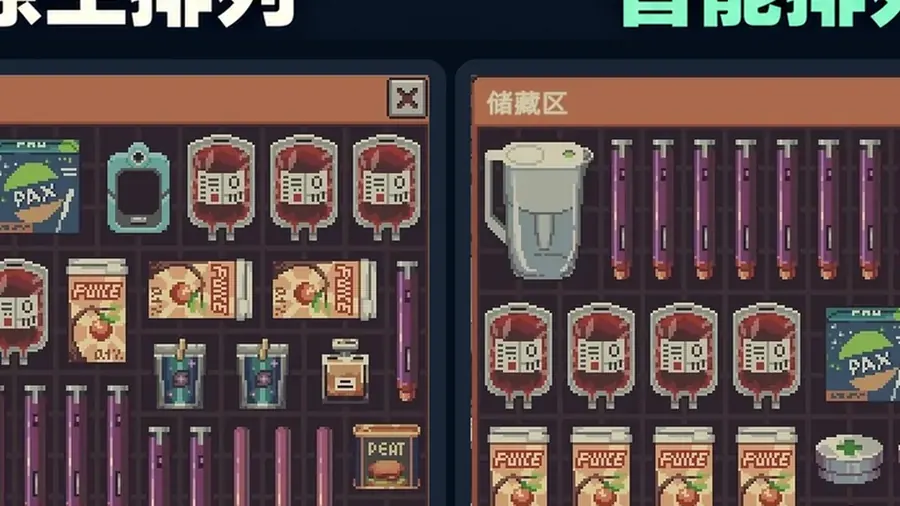
Smart inventory sorting in action: the smallest UI change saves the most counter time.
FAQ
What is the best QoL mod?
Smart Inventory for sorting and Client Demand Highlight for service speed.
Do these mods overlap?
Yes. DangpuPlus bundles several features, so do not run duplicate versions.
What are the hotkeys?
F5 for demand highlight, F6 for smart inventory, F9 for the dev menu when enabled.
Sources and version notes
- Workshop item pages, hotkeys and subscription counts, 2 November 2026.
- 1.0.0.6 modding security update from the Steam patch notes.
- Build 1.0.0.6. Hotkeys can change between mod versions; check the settings.
Official source: Steam Workshop ↗ · Steam guides ↗ · Steam store ↗, checked 2 November 2026.
More Probably Stolen Guides
All the starting perks that matter, ranked for money, crime, water and challenge runs, with exact point costs and the best three-point loadouts.
All nine Probably Stolen starts compared by credits, rent, gear and risk, with the best pick for a first run, a profit run and Rock Bottom.
How Brewing Expansion works: the 16 seeds, 67 wine recipes, growing and aging loop, automation, profit assumptions and compatibility with vanilla winemaking.
A profit-first Probably Stolen chemistry guide: purity math, acid and base workflow, contaminant control, and which chemicals are worth the risk.
Case value, investigation, raids, fines and bribes in Probably Stolen: how the crime system builds a case and how to stop it before 1,500 credits.
The five Probably Stolen factions, what reputation unlocks, which choices raise or lower it, and the -100 thresholds that end runs.
How to fence stolen goods, hide contraband, handle raids and bribe Security in Probably Stolen without ending the run.
Which starting scenario is easiest, what to buy in the first week, and the opening order that keeps rent covered in Probably Stolen.